Joining the server
Back home
Server Address: mc.okwhat.net
Server Status: Loading...
Fetching the server status...
Modpack
FTB StoneBlock 4
Latest version
Loading...
Last updated
Loading...
Checking if server is up to date...
Note
To join the modded Minecraft server, you will need a Microsoft account that owns Minecraft: Java Edition.
If you bought only the Bedrock Edition before 7 June 2022, you must purchase the Java Edition separately for US$29.99 (A$40) here.
Don't download or use the Vanilla Minecraft launcher!
1 Download Prism Launcher
Prism Launcher allows you to manage modpacks easily.
Download it using the first link here.
Keep clicking Next on each installation prompt. You will be asked to add your Microsoft account that owns Minecraft: Java Edition.
2 Add your Microsoft account
If you forgot to setup your Microsoft account in the first step:
Click Manage Accounts in the top right of the launcher.
Click Add Microsoft and follow the prompts to add your account that owns Minecraft: Java Edition.
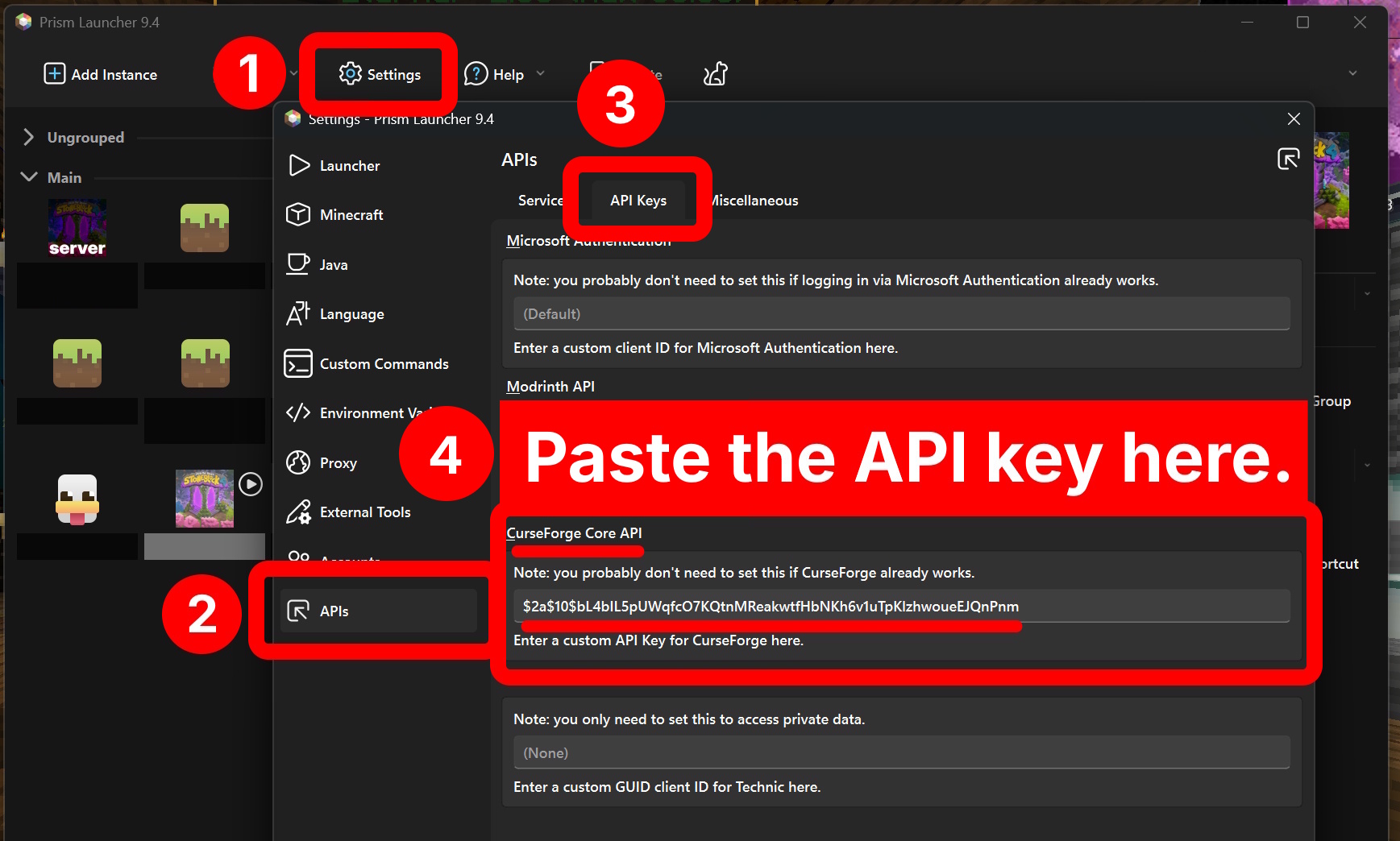
3 Paste the CurseForge Core API key
This allows you to download mods without having to open your browser.
The API key you need to copy and paste is:
$2a$10$bL4bIL5pUWqfcO7KQtnMReakwtfHbNKh6v1uTpKlzhwoueEJQnPnm
4 Add a new instance
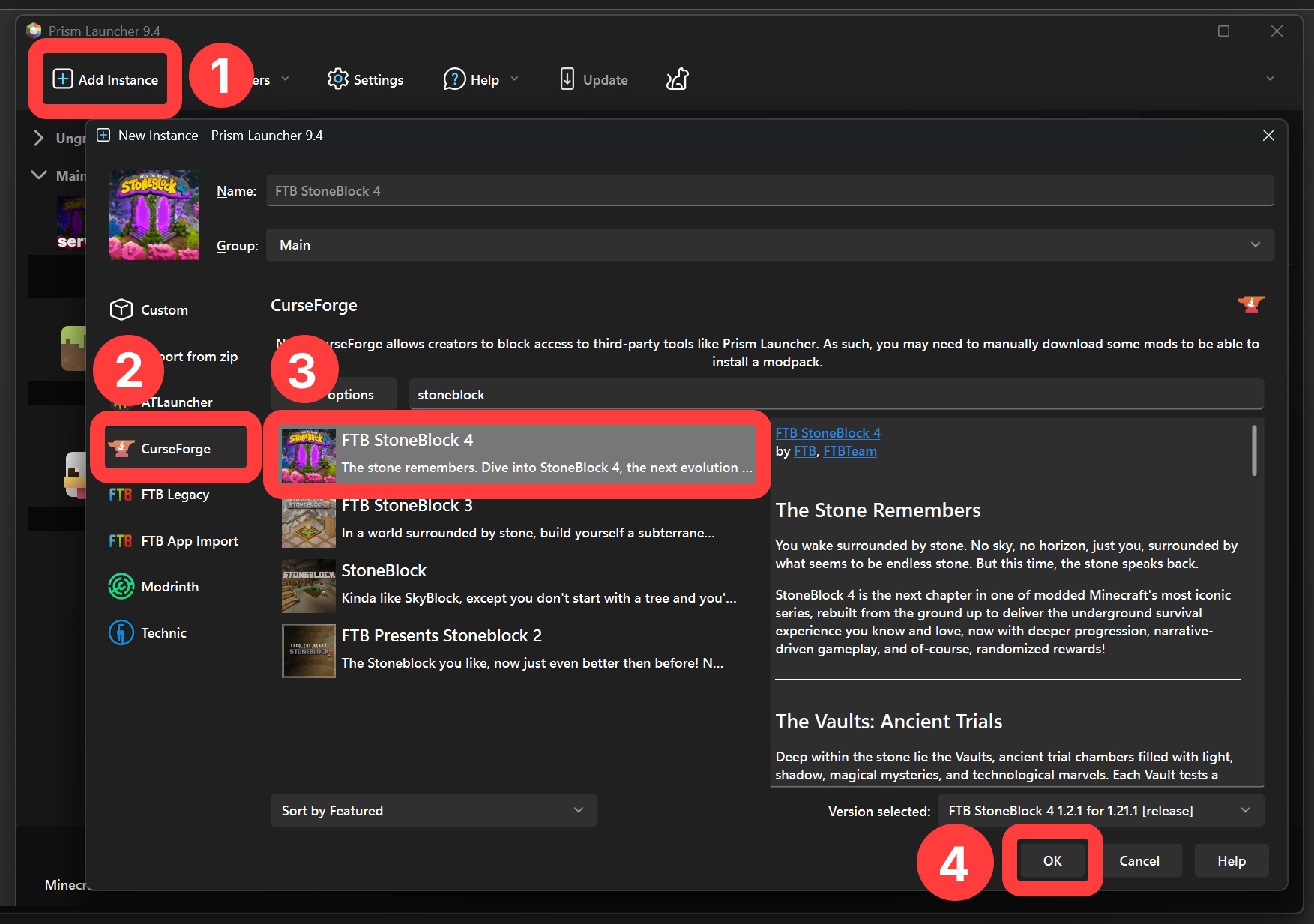
Each modpack in Prism Launcher is called an "instance".
Create a new instance using the button in the top left of the launcher.
Click CurseForge and search for the modpack FTB StoneBlock 4.
Click OK and the modpack should install. This may take a while.
5 Start the modpack
Double-click the modpack in the launcher.
It may take a while to finish loading the first time.
67 Join the server
In the Multiplayer menu, click Add Server and enter okwhat.net as both the server name and server address.
Click Done and join the game.
Don't touch anything while joining the world!
I can't join!
Failed to connect to the server
Failed to log in: RateLimiter disallowed request
If you see the message above, click Back to Server List and keep trying to rejoin. It may take up to five tries to join the server.
Connection Lost
Network Protocol Error
Failed to sync registries from the server: java.lang.NullPointerException
If you see one of the messages above, your modpack version is probably out of date. See the section below to update your modpack in Prism Launcher.
Alternatively, the server itself may be out of date. See the section below to see what the newest version of the modpack is.
Updating the modpack
Please notify the owner if this is out of date.
It's important to check for modpack updates in Prism Launcher before starting the game each time.
Click the modpack icon, then click Edit.
In the window that opens, click CurseForge on the left.
Click Update pack if the pack is out of date.
